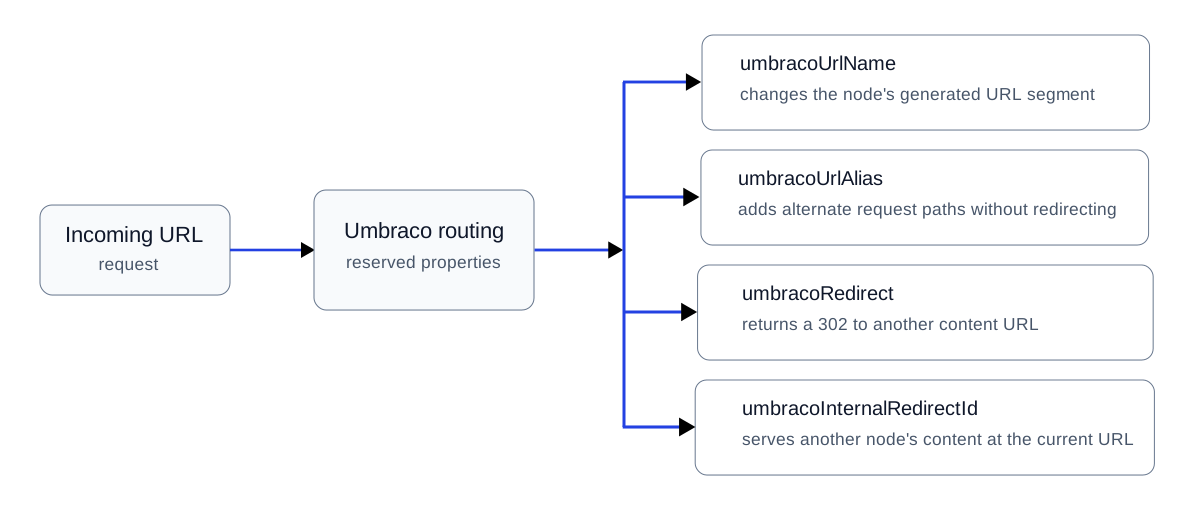
What umbracoUrlAlias does
umbracoUrlAlias is a reserved Text String property that lets a content item resolve from additional URL paths. The requested alias remains in the browser. There is no 301 or 302 response.
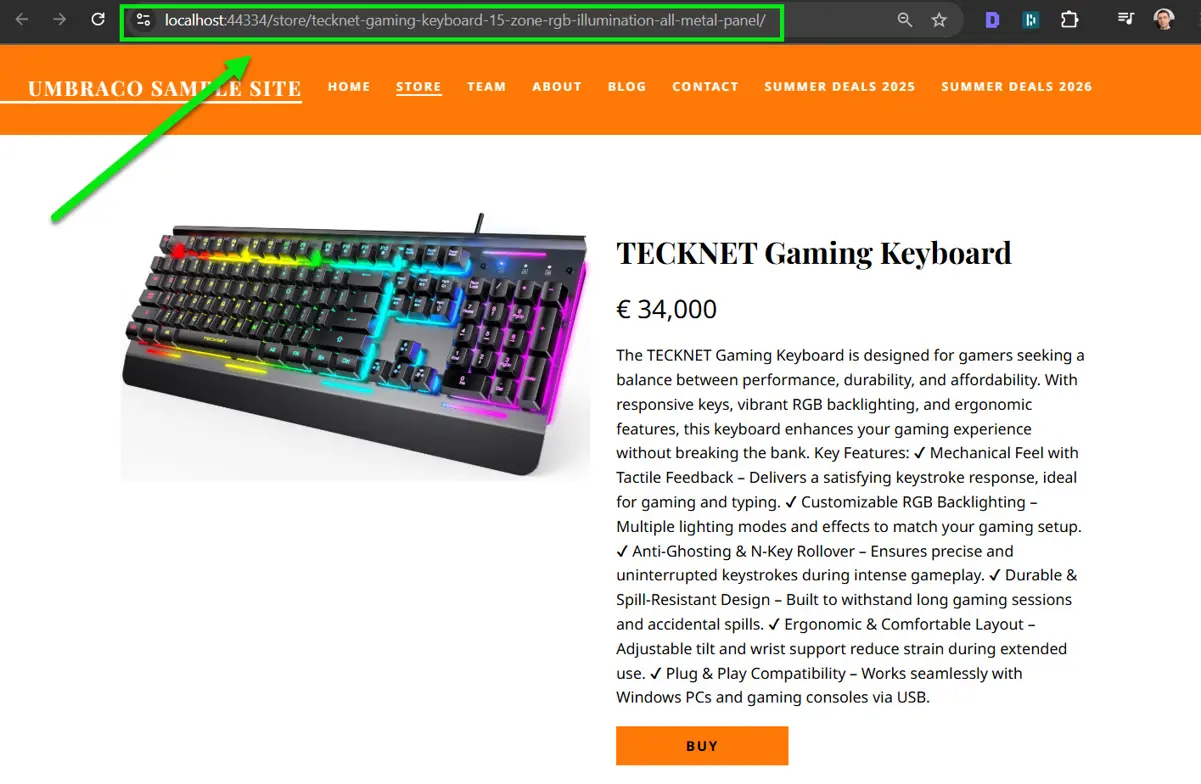
The product page used to demonstrate alternative URL paths with umbracoUrlAlias.
Step 1: add the Text String property
Add a property whose alias is exactly umbracoUrlAlias. Umbraco's routing pipeline recognizes the alias; no custom Content Finder is required for the built-in behavior.
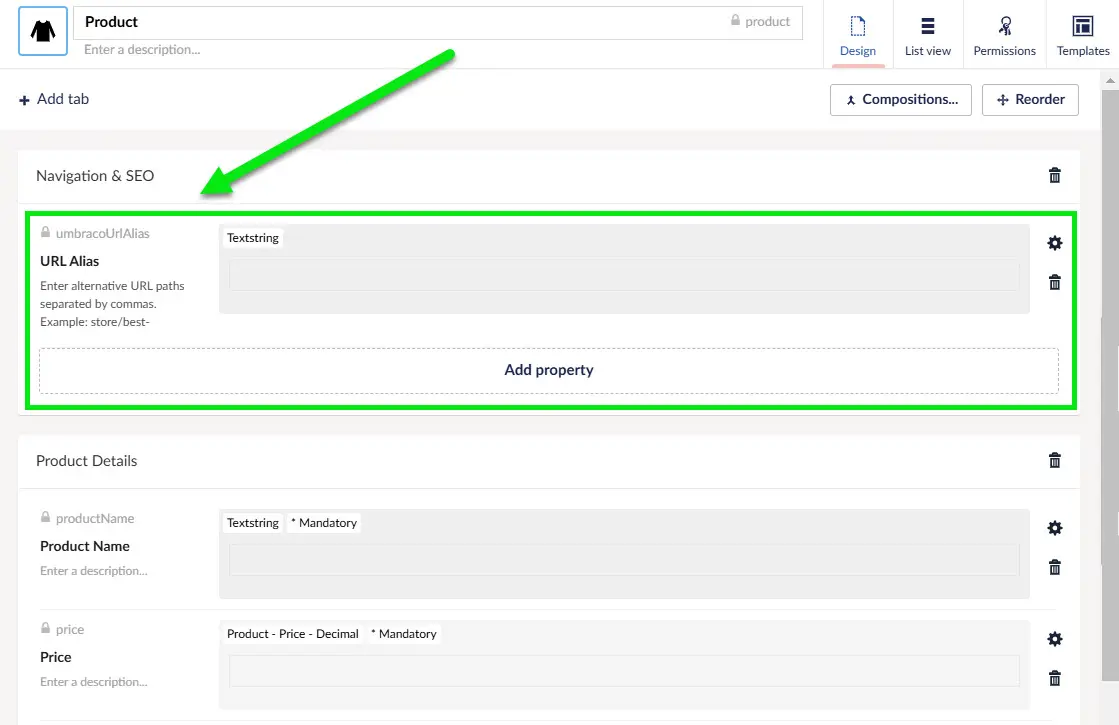
The reserved umbracoUrlAlias property configured with a text editor.
Step 2: add alternate paths
Enter one or more comma-separated paths. The example uses both short aliases and nested paths, such as campaign or store URLs.
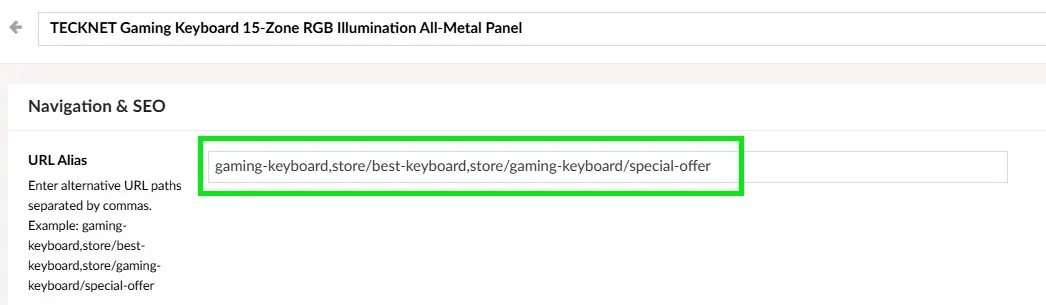
Alternative URL paths configured on the content node with umbracoUrlAlias.
Step 3: verify the requested URL and rendered content
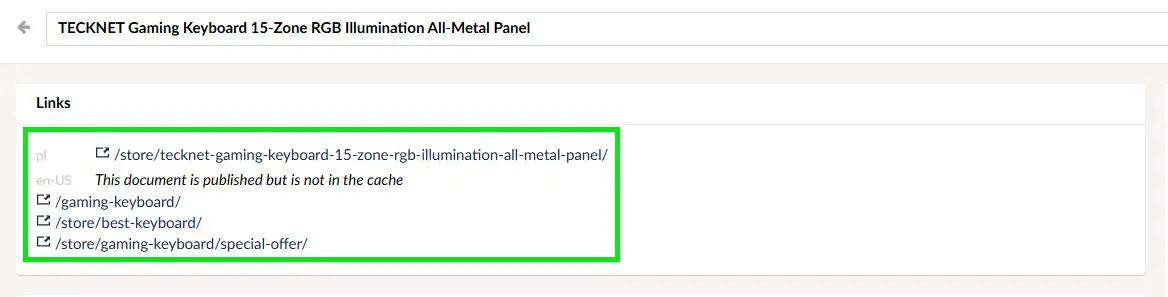
Multiple alternative paths resolving to the same Umbraco content node.
Request each alias directly and verify that the expected content is rendered while the alias remains visible. Test malformed input too, because an editor-facing free-text field can become part of request routing.
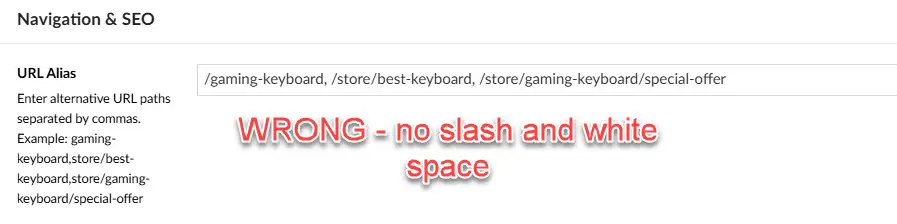
An invalid alias value demonstrates why editor guidance and validation matter.
SEO and canonicalization
An alias can create another crawlable URL for substantially the same content. That is not automatically a problem, but it means URL ownership must be deliberate. Google may cluster duplicate or very similar URLs and select one representative canonical URL.
/store/gaming-keyboard/    # preferred URL
/gaming-keyboard/          # umbracoUrlAlias
/store/best-keyboard/      # umbracoUrlAlias
If all three paths render the same product, do not treat them as three separate SEO landing pages. Pick the URL you want to be primary, link to that URL internally, include the preferred URL in your sitemap, and emit a consistent rel="canonical" from duplicate variants when appropriate.
<link rel="canonical" href="https://example.com/store/gaming-keyboard/" />Use the mechanism that matches the intent: if an old URL has permanently moved to a new URL, prefer a permanent redirect rather than an alias. Google recommends server-side permanent redirects such as 301 or 308 for permanent site moves. Use an alias when you intentionally need an additional route that remains addressable.
Google treats canonical annotations as signals rather than absolute rules, so avoid contradictory signals. A canonical element pointing to one URL while your internal links and sitemap consistently prefer another makes the architecture harder to interpret.
Google Search Central documents canonicalization methods and duplicate URL handling.
When not to use an alias
If the old URL should permanently move to the new one, use redirect tracking or another 301 mechanism. If a content node should temporarily redirect to another node, use umbracoRedirect. If you only need a different generated segment, use umbracoUrlName.