
What umbracoUrlName actually changes
umbracoUrlName is a reserved Text String property alias. When it has a value, Umbraco uses that value when generating the content item's URL segment instead of deriving the segment from the node name.
Practical example: keep the editor name, change the public URL
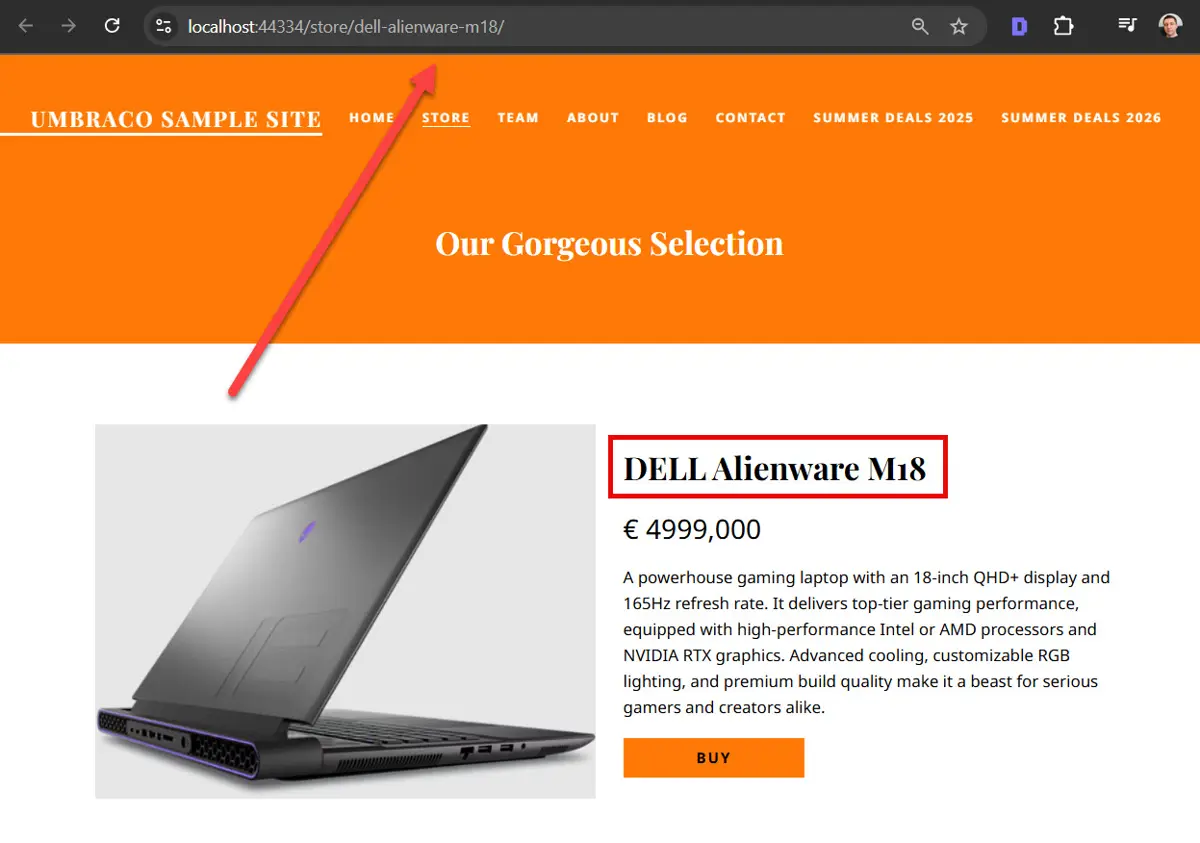
The product page used to demonstrate how umbracoUrlName changes the generated URL segment.
The example starts with a product node named DELL Alienware M18. The requirement is to keep that meaningful backoffice name while publishing a more descriptive URL segment.
Step 1: add the reserved property
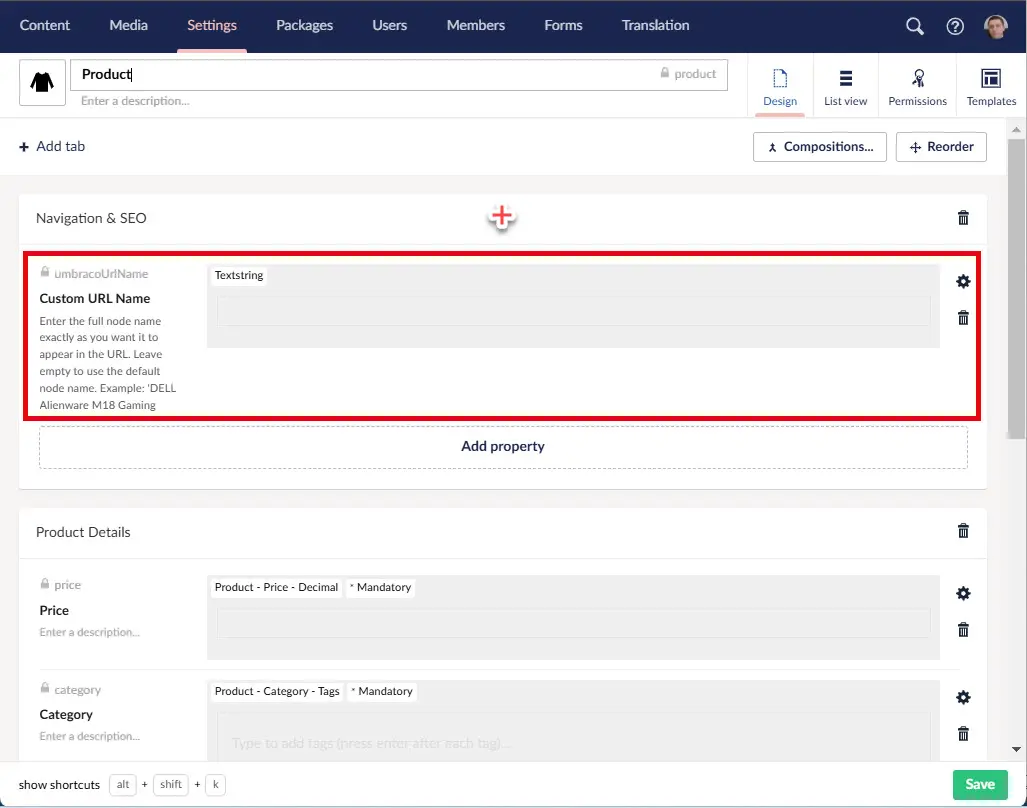
The reserved umbracoUrlName property is configured on the product Document Type.
Add a Text String property to the relevant Document Type. The display name is yours, but the alias must be exactly umbracoUrlName.
Step 2: set the value on the content node
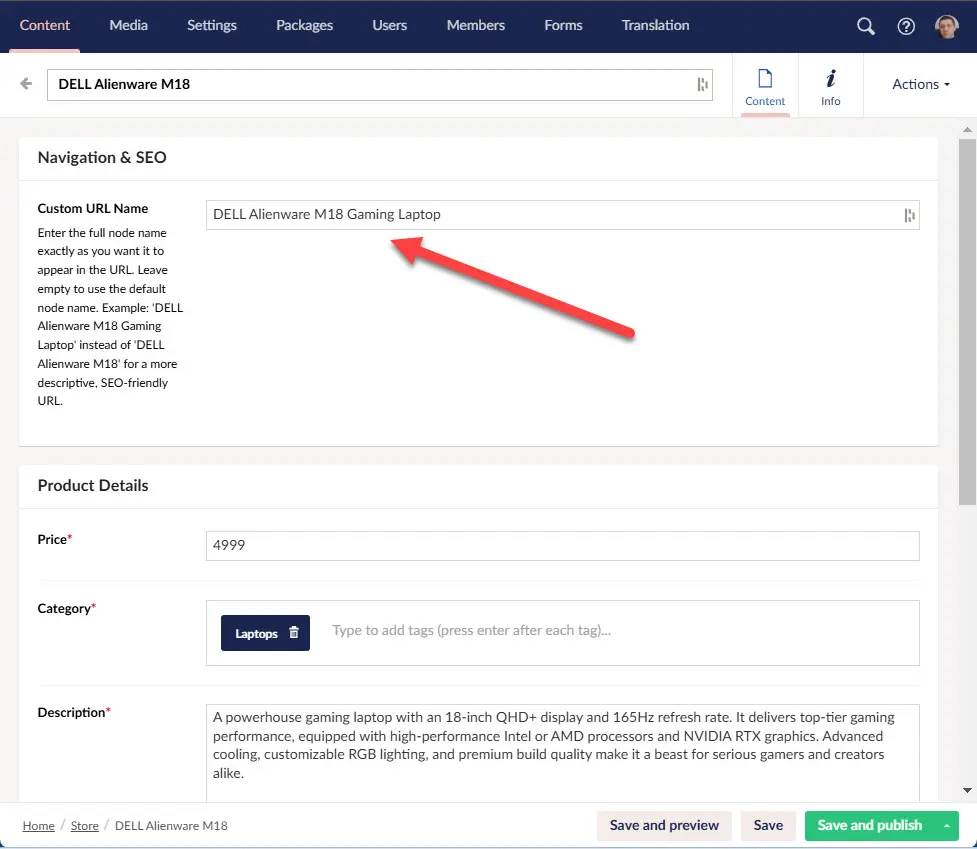
A custom umbracoUrlName value overrides the generated URL segment without renaming the node.
Enter the URL name you want Umbraco to use, and publish the node. Keep this value URL-oriented. Don't use this property as a second page title.
Step 3: verify both URL generation and redirect tracking
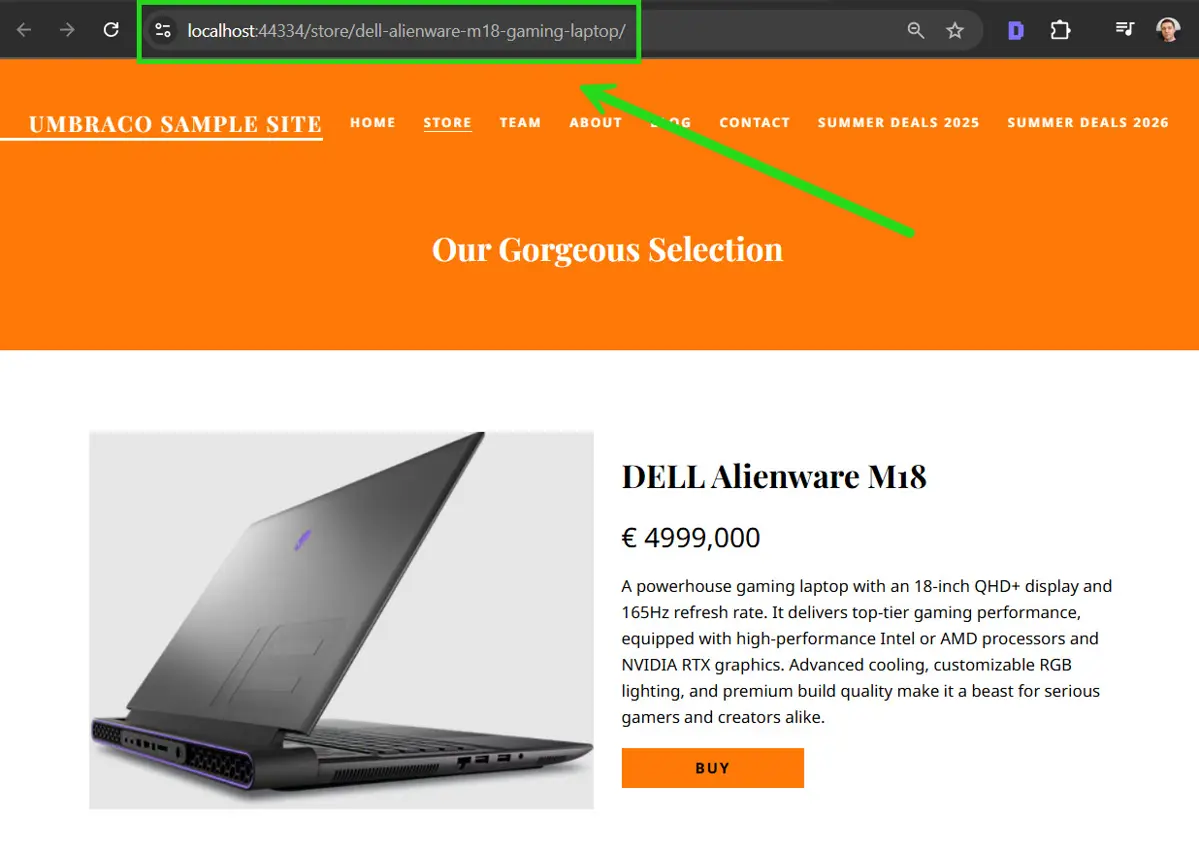
The published product resolves under the custom URL segment generated from umbracoUrlName.
Open the published page and verify the generated URL. If this changes the URL of an already-published node, also verify the historical URL behavior. Umbraco redirect tracking is separate from umbracoUrlName, even though a URL change can cause redirect records to be created.
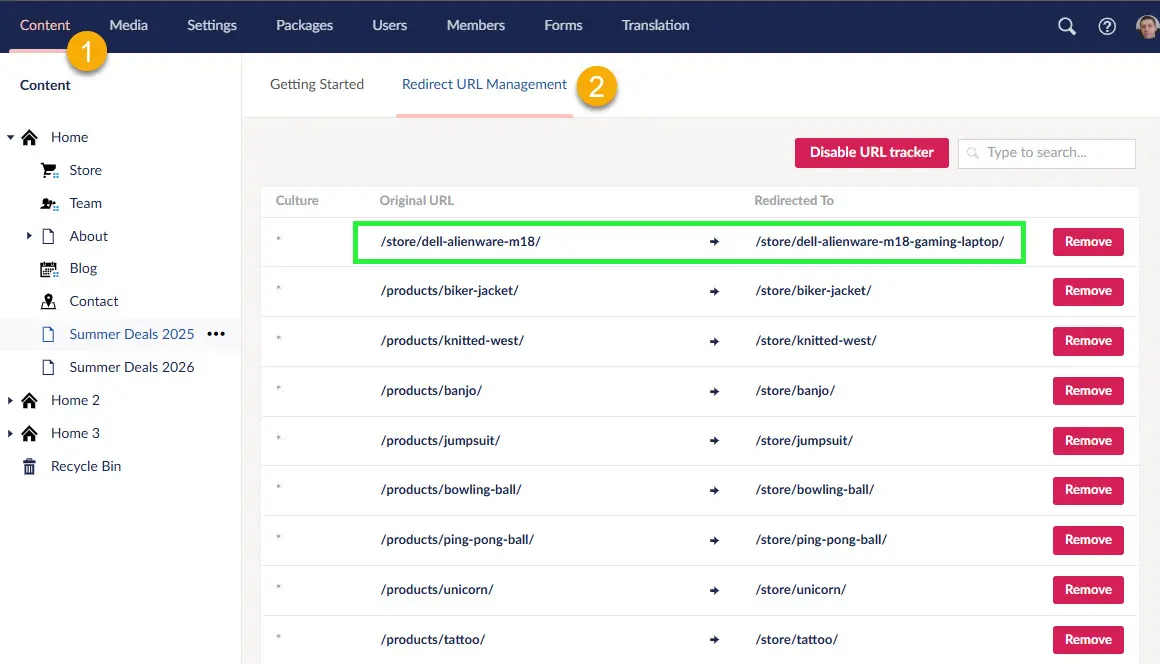
Redirect URL Management records the previous URL after the published URL changes.
If this changes an indexed URL: verify that the old URL resolves directly to the new URL with the intended permanent redirect, update internal links to the new URL, and keep the new URL self-canonical. Google recommends direct permanent redirects for permanent URL moves and advises avoiding redirect chains.
Umbraco 17 note: an issue in 17.3.4 caused Url() to respect umbracoUrlName, while the UrlSegment accessor still returned the node-name-derived segment. The issue was fixed in 17.5.0. If application code consumes UrlSegment directly, verify behavior on your exact version.
When to use it
Use umbracoUrlName when the public URL segment should differ from the editor-facing node name. If you need additional paths instead, use umbracoUrlAlias. To send an HTTP redirect, use umbracoRedirect.