
What umbracoRedirect does
umbracoRedirect is a reserved property alias used with a Content Picker. When a request reaches the source node, Umbraco sends the browser to the selected content item with a 302 Temporary Redirect.
Practical example: Summer Deals 2025 to 2026
In this example, an old campaign page is the redirect source and the current campaign page is the target. The setup makes the resulting HTTP behavior easy to verify.

The Summer Deals 2025 content node acts as the source of the temporary redirect.

The Summer Deals 2026 content node is the destination selected for the redirect.
Step 1: add the Content Picker
Add a Content Picker to the relevant Document Type and set its alias to exactly umbracoRedirect. Give editors a description that explicitly says this creates a temporary 302 redirect.
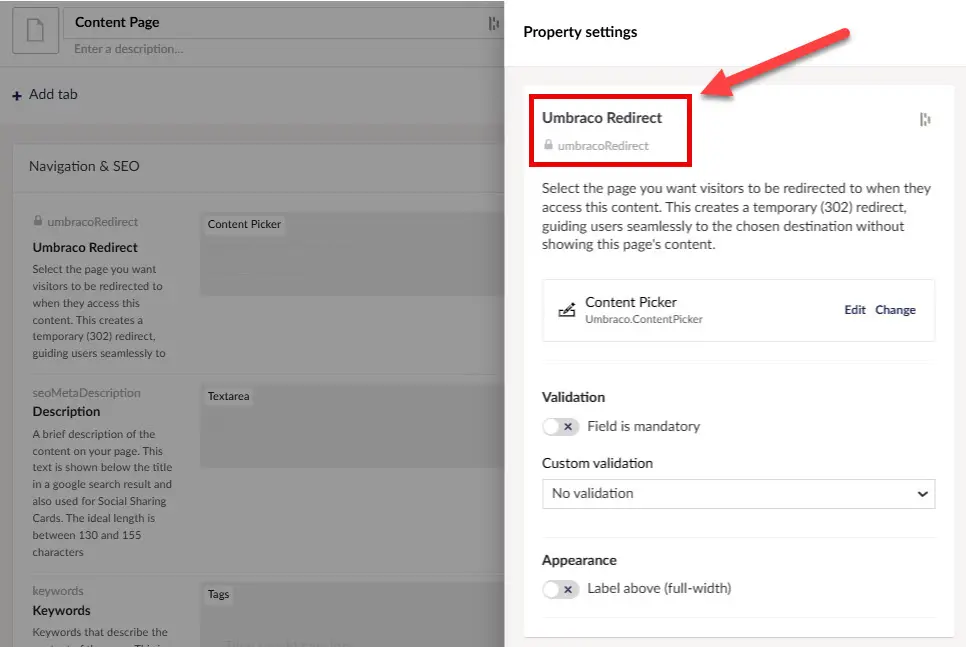
The reserved umbracoRedirect property configured as a Content Picker on the Document Type.
Step 2: select and publish the destination
On the source node, select the destination content item and publish. Avoid self-references and circular redirect chains.
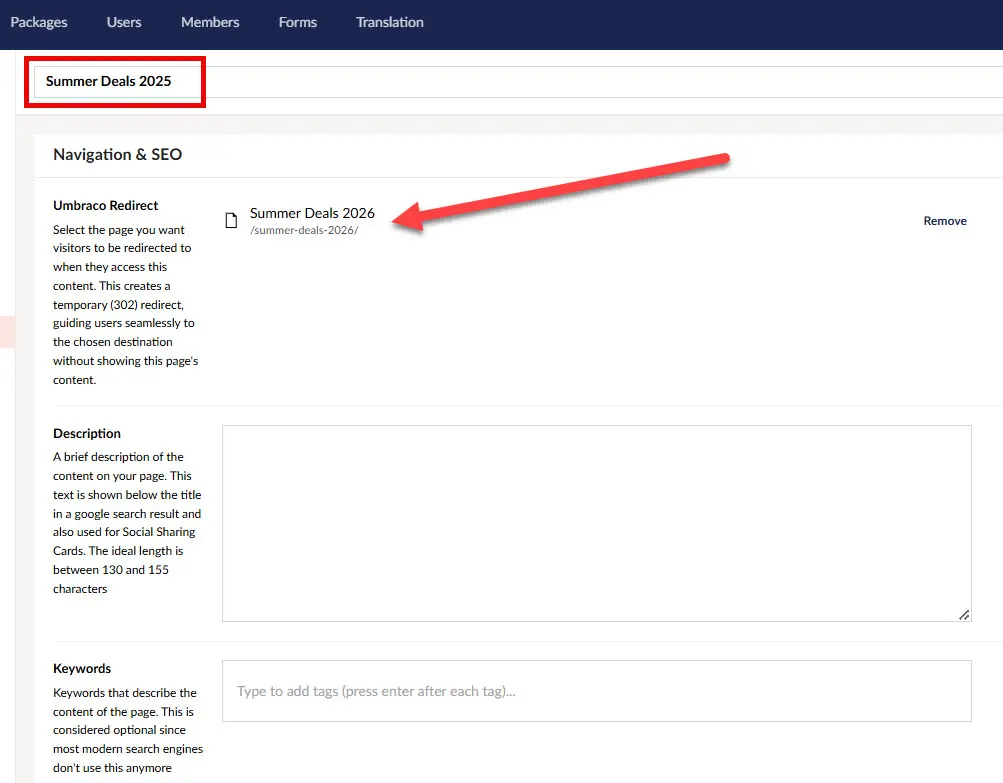
Selecting the destination through the umbracoRedirect Content Picker.
Step 3: verify the HTTP response
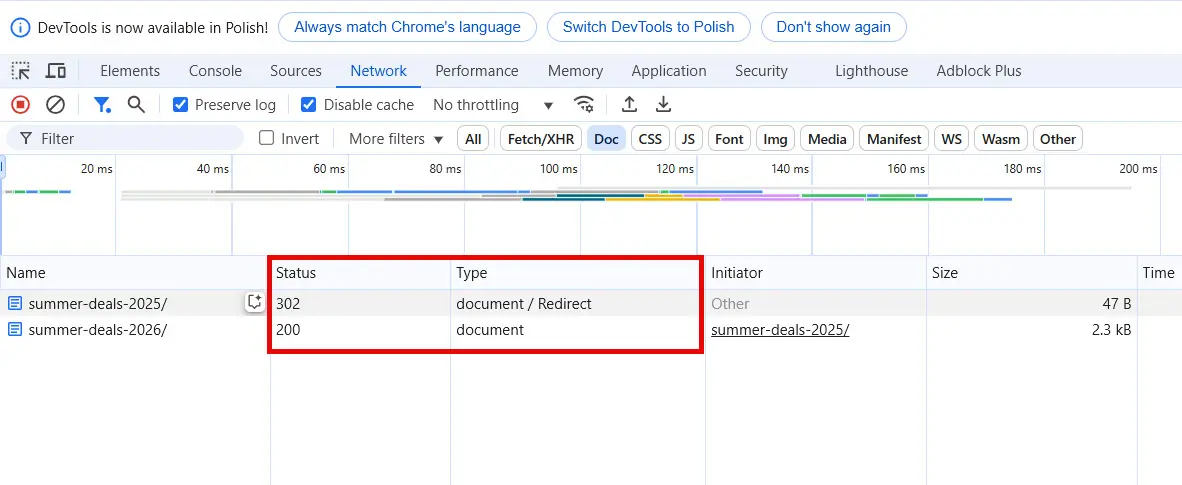
Browser DevTools verifies the source request returns an HTTP 302 redirect to the selected destination.
Do not stop at “the browser ended up on the right page.” Open the Network panel and confirm the source request returns 302 and a Location header pointing at the intended destination.
302 is not a migration redirect
A temporary redirect and Umbraco's historical redirect tracking solve different problems. A 302 tells clients and search engines that the redirect is temporary. For a permanent legacy URL move, Google recommends a server-side permanent redirect such as 301 or 308 when possible. In an Umbraco migration, use a mechanism that produces the permanent HTTP behavior you actually intend rather than using umbracoRedirect simply because it is built in.
Migration rule of thumb: if /summer-deals-2025/ is only temporarily sending users to /summer-deals-2026/, a 302 can match the intent. If the old URL has been permanently replaced, use a permanent redirect and point internal links directly to the final URL.
For bulk legacy migrations, see how I import and verify Umbraco redirect URLs as HTTP 301 responses. Google also documents permanent redirect best practices for site moves.
umbracoRedirect vs internal redirect
Use umbracoRedirect when the browser should navigate to another URL. Use umbracoInternalRedirectId when the original URL must stay visible while another node's content is rendered.