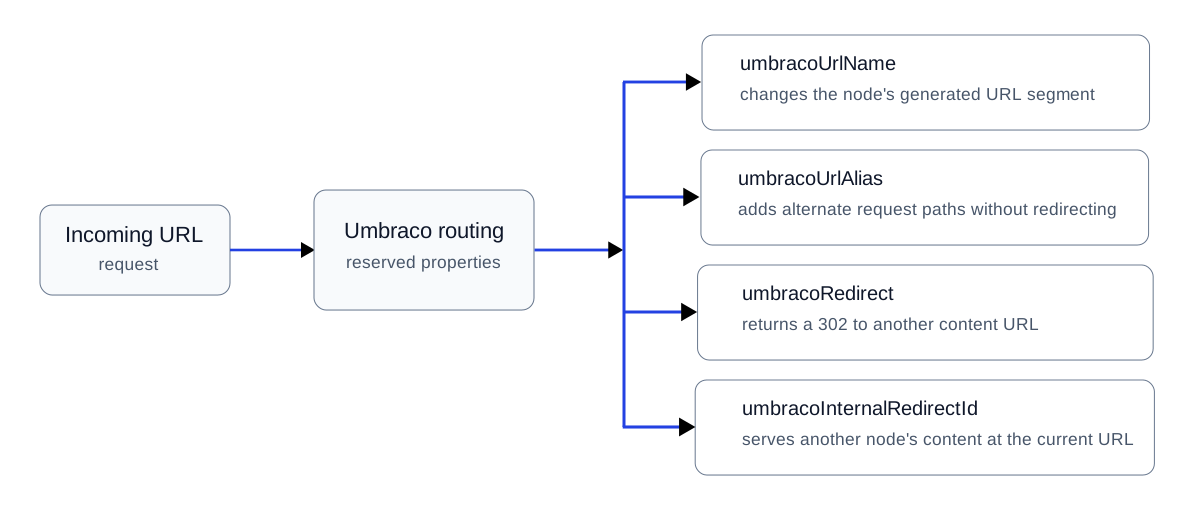
What umbracoInternalRedirectId does
umbracoInternalRedirectId is a reserved Content Picker property. Instead of sending an HTTP redirect, Umbraco serves the selected content while keeping the originally requested URL in the browser.
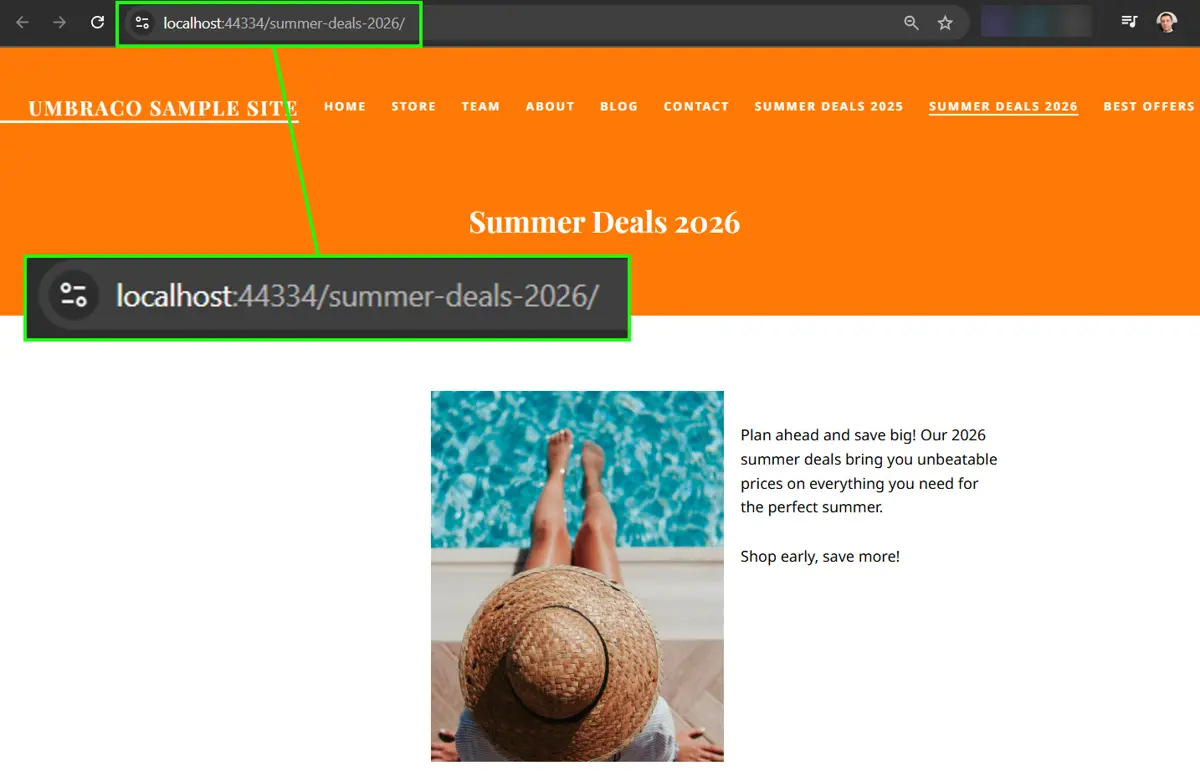
The Summer Deals 2026 node provides the content rendered by the internal redirect example.
Practical example: /best-offers/ renders Summer Deals 2026
In this example, /best-offers/ remains visible in the browser while Umbraco renders the content selected from the Summer Deals 2026 node.
Step 1: add the reserved Content Picker
Add a Content Picker whose alias is exactly umbracoInternalRedirectId.
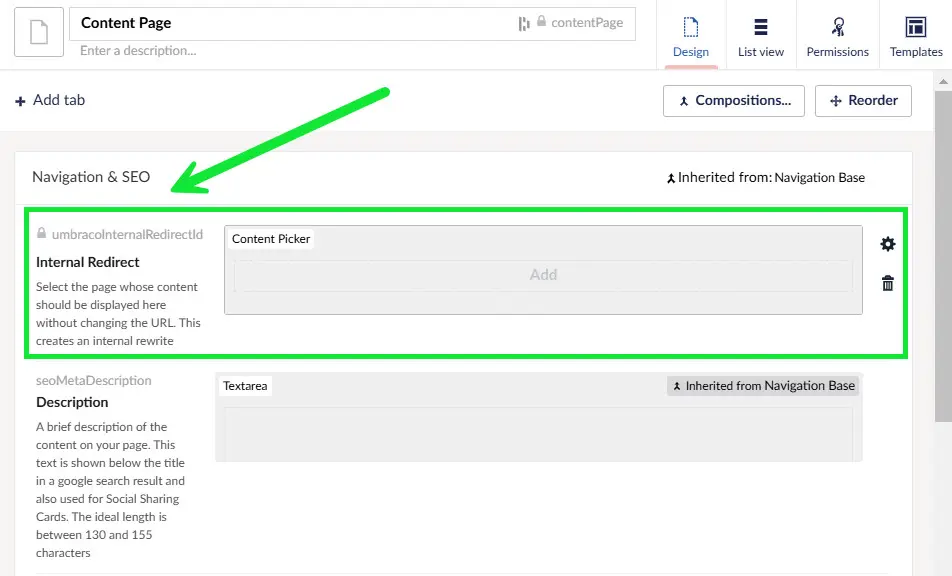
The reserved umbracoInternalRedirectId property added to the Document Type.
Step 2: select the content source
On the source node, select the content item to be served, then publish both items.
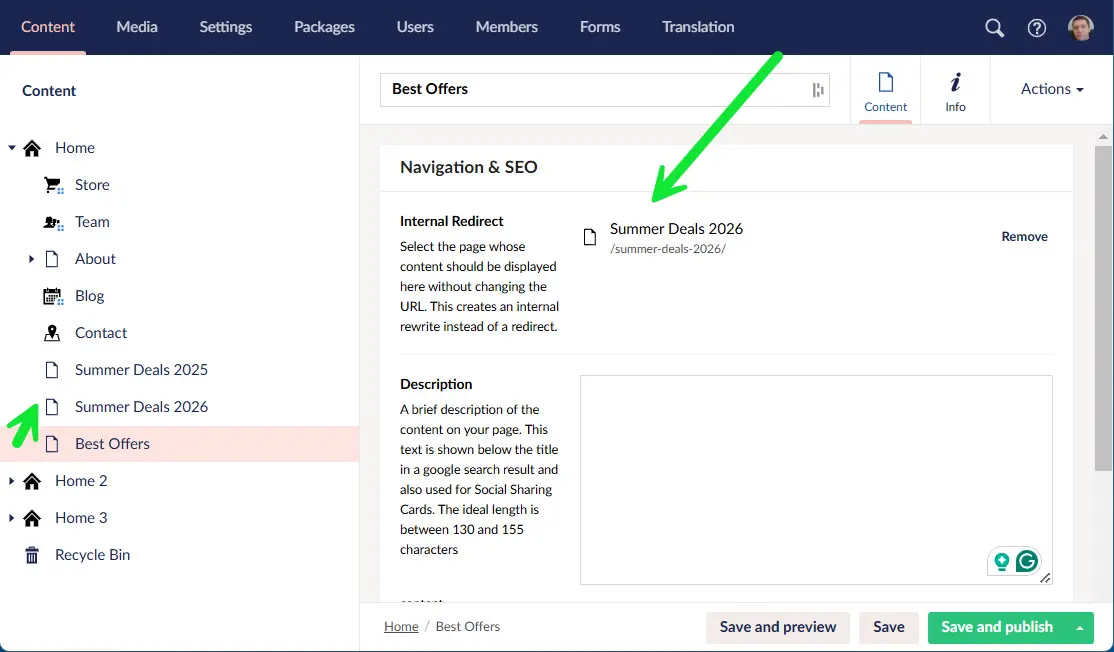
Selecting the content node that should be rendered for the original request URL.
Step 3: verify that no HTTP redirect occurs
Request the source URL. The browser should keep that URL while rendering the destination content. Confirm in developer tools that the request does not return a 301 or 302.

The destination content is rendered while the requested URL remains unchanged in the browser.
Internal redirect vs URL alias
These mechanisms can look similar from the browser because neither requires an external redirect. Their intent is different. umbracoUrlAlias gives a content item additional request paths. umbracoInternalRedirectId makes one content node resolve another node's content.
Canonicalization matters
An internal redirect keeps the requested URL while rendering content selected from another node. If both the source URL and the selected content item's URL are public, search engines may encounter two URLs with substantially the same primary content.
/summer-deals-2026/   # content item's own URL
/best-offers/         # internally renders the same content
That is not automatically a Google spam problem, but it is an indexing decision. If one URL should represent the content in search, keep your signals consistent: use the intended canonical URL in rel="canonical", link internally to the preferred URL, and avoid listing duplicate variants in the sitemap as if both were primary pages.
Do not add a canonical mechanically: if the two URLs intentionally serve different search or user intents and the pages are materially different, they may deserve to remain separate. Canonicalization is for duplicate or very similar representations, not a substitute for content architecture.
See Google Search Central's canonicalization guidance for the underlying search behavior.
Internal redirect vs 302
Use umbracoRedirect when you want the browser and search engine to receive a temporary redirect. Use umbracoInternalRedirectId only when you intentionally want to retain the source URL.