
AngularJS Status in 2026
AngularJS reached the end of official long-term support at the end of 2021. It no longer receives official feature work, bug fixes, or security patches from the Angular team.
That does not mean AngularJS applications suddenly stopped working. A stable application can continue running for years. The problem is that the technical and operational risk now lies entirely with the organization that maintains it.
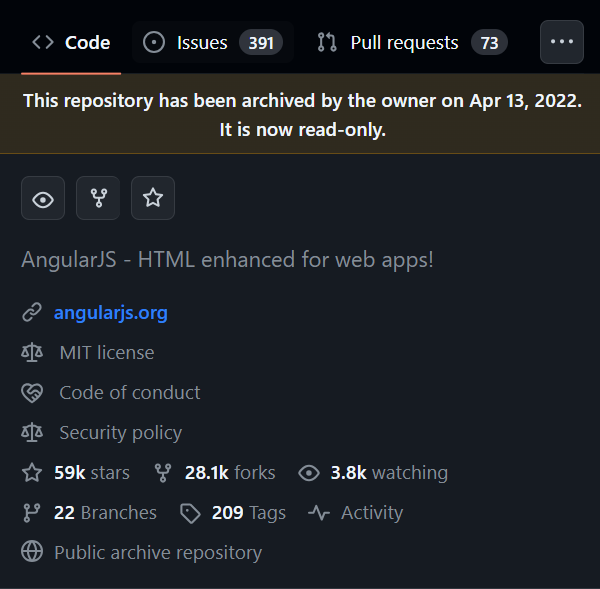
AngularJS is no longer an actively maintained framework.
Note
Key distinction: end of life does not mean immediate failure. It means no official maintenance path exists when browser behavior, dependencies, security requirements, or application needs change.
What End of Life Means for Production Systems
Security responsibility moves to your organization
If a framework-level vulnerability appears, there is no normal upstream release you can simply upgrade to. You need compensating controls, commercial extended support, a maintained fork, or a migration.
The surrounding ecosystem keeps moving
Browsers, build tooling, package managers, authentication libraries, security policies, and third-party integrations continue to evolve even when AngularJS itself does not. Compatibility risk therefore increases over time.
Maintenance becomes a staffing problem
Teams naturally gain more experience with current frameworks, while knowledge of AngularJS becomes less common. The cost of onboarding developers and diagnosing old patterns can become more important than raw framework performance.
Large rewrites become harder the longer they are postponed
New features continue increasing the amount of legacy code that eventually has to be migrated. This is why an explicit retirement plan is usually more valuable than an open-ended promise to “rewrite it later.”
Your Main Options
1. Keep the application and reduce exposure
This can be reasonable for a stable, internal, low-change application with a limited remaining lifetime. Keep dependencies under review, minimize internet exposure, strengthen authentication and authorization boundaries, and actively monitor the system.
2. Buy extended support
Commercial extended support can reduce short-term security risk when immediate migration is unrealistic. It buys time, but it should normally support a retirement plan rather than become a permanent architecture strategy.
3. Migrate incrementally
For larger systems, replacing AngularJS feature by feature can reduce delivery risk. Define boundaries, migrate new work to the target architecture, and progressively retire AngularJS areas.
4. Replace the application
A full replacement can make sense when the application is small enough, the domain is well understood, or the current architecture prevents meaningful incremental modernization.
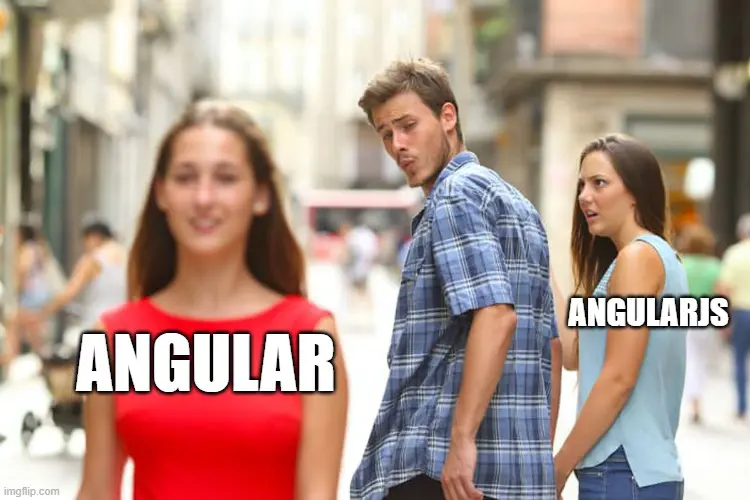
Migration should be chosen based on application lifetime, risk, coupling, and business priorities.
How to Plan an AngularJS Migration
Choosing React, Vue, or modern Angular is only one part of the decision. The migration plan matters more than the framework shortlist.
Inventory the application. Identify modules, routes, custom directives, services, filters, authentication flows, build tooling, and third-party dependencies.
Find architectural boundaries. Determine which areas can be separated without forcing a complete rewrite.
Identify high-risk code first. Prioritize security-sensitive, frequently changed, business-critical, or poorly understood areas.
Select the target architecture. Base the choice on your team, product lifetime, ecosystem requirements, integration model, and maintainability — not framework popularity alone.
Define an interoperability strategy. Decide how legacy and modern parts will coexist during the migration.
Stop increasing the legacy surface. New functionality should move toward the target architecture whenever practical.
Measure progress by retired legacy code. A migration is successful when AngularJS dependencies disappear, not when a new framework is merely introduced alongside them.
Note
Avoid the rewrite trap. Rebuilding every feature before releasing anything can create a multi-year program with little visible business value. Incremental replacement is often easier to fund, validate, and reverse when assumptions prove wrong.
Umbraco 13 to 14: A Real Transition Example
Umbraco is a useful example of what an AngularJS retirement looks like at platform scale. Umbraco 13 still used AngularJS in the back office. In Umbraco 14, the back office was rebuilt without AngularJS, using TypeScript, Web Components, Lit, and the Umbraco UI Library.
For teams with custom Umbraco backoffice extensions, that transition is not a simple package update. AngularJS controllers, directives, and extension patterns have to be replaced with the newer backoffice extension architecture.
The broader lesson applies beyond Umbraco: when a foundational UI framework reaches end of life, the cost is not only replacing syntax. Extension contracts, component models, build tooling, state management, testing, and team skills may all change together.
Decision Matrix
Situation | Reasonable direction |
|---|---|
Stable internal app, low exposure, planned retirement soon | Contain, monitor, and avoid unnecessary rewrite work |
Business-critical app with no short-term migration window | Consider extended support plus a funded migration plan |
Large active product with continuous feature development | Start incremental migration and stop growing AngularJS code |
Small app with well-understood requirements | Replacement may be simpler than long-term coexistence |
Umbraco 13 with custom AngularJS backoffice extensions | Include extension migration explicitly in the Umbraco 14+ upgrade plan |
References
AngularJS repository Official AngularJS source repository and end-of-support notice.
AngularJS in Umbraco 13 Umbraco documentation for the AngularJS-based backoffice used before Umbraco 14.
Umbraco 14 Backoffice architecture Umbraco's overview of the AngularJS-free backoffice built with TypeScript, Web Components, Lit, and UUI.
Conclusion
AngularJS has no meaningful future as a platform for new development. The remaining engineering question is how to manage the systems that still depend on it.
Some applications can be safely contained until retirement. Others justify extended support. Long-lived products usually need an incremental modernization plan. The correct decision depends on exposure, change rate, business criticality, migration cost, and the application's remaining lifetime.
What matters most is making that decision explicitly. An unsupported framework is manageable when the risk is understood and bounded; it becomes dangerous when “temporary” maintenance becomes an indefinite architectural strategy.


