
Introduction
Sometimes the fastest way to understand an existing Umbraco installation is to inspect how a particular data type is actually used. This is especially useful before a migration, editor change, content-model cleanup, or other maintenance work.
This article presents a focused SQL query that returns property definitions and stored values associated with a single Umbraco data type. The example targets Umbraco 13 and Microsoft SQL Server.
When is this useful?
Migration planning: identify content affected by a data type or property-editor migration.
Data type cleanup: check whether an old or duplicated data type still has meaningful content behind it.
Editor replacement: inspect existing value formats before switching property editors.
Content audits: understand how a picker is used across document types.
Troubleshooting: compare backoffice content with the persisted value.
1. Find the Data Type ID in the Umbraco backoffice
Open Settings → Data Types and select the data type. In Umbraco 13, the numeric ID is visible in the backoffice URL:
/umbraco/#/settings/dataTypes/edit/{dataTypeId}For this example, assume we want to inspect a Multinode Treepicker used for Blog Article Tags.
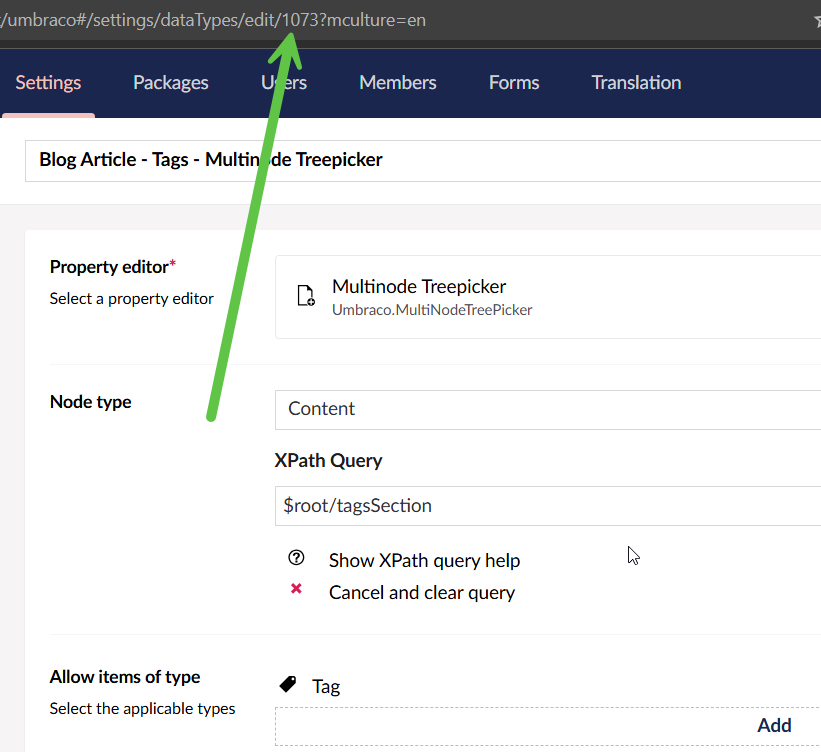
Finding the Multinode Treepicker data type identifier in the Umbraco 13 backoffice.
2. Run the T-SQL query
Replace 1073 with the ID of the data type you want to examine.
DECLARE @dataTypeId INT = 1073;

/* Review published Umbraco property data for a data type across content types */
SELECT
    PT.Id AS PropertyTypeId,
    PT.Alias AS PropertyTypeAlias,
    CT.Alias AS ContentTypeAlias,
    PD.textValue AS TextValue
FROM [dbo].[cmsPropertyType] PT
JOIN [dbo].[cmsContentType] CT ON CT.nodeId = PT.contentTypeId
JOIN [dbo].[umbracoPropertyData] PD ON PD.propertyTypeId = PT.Id
JOIN [dbo].[umbracoContentVersion] CV ON PD.versionId = CV.id
JOIN [dbo].[umbracoDocumentVersion] DV ON DV.id = CV.id
WHERE PT.dataTypeId = @dataTypeId
  AND DV.published = 1;
The query is intentionally read-only. It joins the property definition to its content type and stored property data, then restricts results to document versions marked as published.
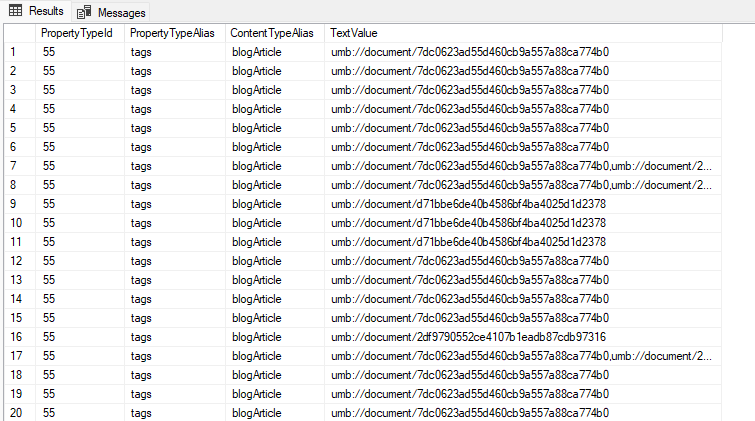
Example results for values stored by the selected Multinode Treepicker data type.
3. Understand what the query returns
cmsPropertyTypeidentifies properties configured with the selected data type.cmsContentTypeidentifies the content type defining each property.umbracoPropertyDatacontains the persisted property value for a content version.umbracoContentVersionconnects property data with its content version.umbracoDocumentVersionlets the query restrict results to published document versions.
The output exposes the property alias, content type alias, and corresponding stored textValue. For picker-based editors, the raw value is useful when you need to understand the persisted representation before migrating or transforming content.
Important limitations
This targets the Umbraco 13 database schema. Verify the schema before adapting it to another major version.
It returns only versions where
DV.published = 1.It selects
PD.textValue. Other value columns may be used depending on the property and storage type.Direct database reads bypass Umbraco APIs, value converters, variation handling, and other application-level behavior.
Practical rule
use SQL when you need to inspect or audit persisted data.
Conclusion
A small read-only SQL query can provide a clear picture of how an Umbraco data type is used across content types and what values are stored behind its properties. That makes it particularly useful before migrations, data type cleanup, editor replacements, and troubleshooting.